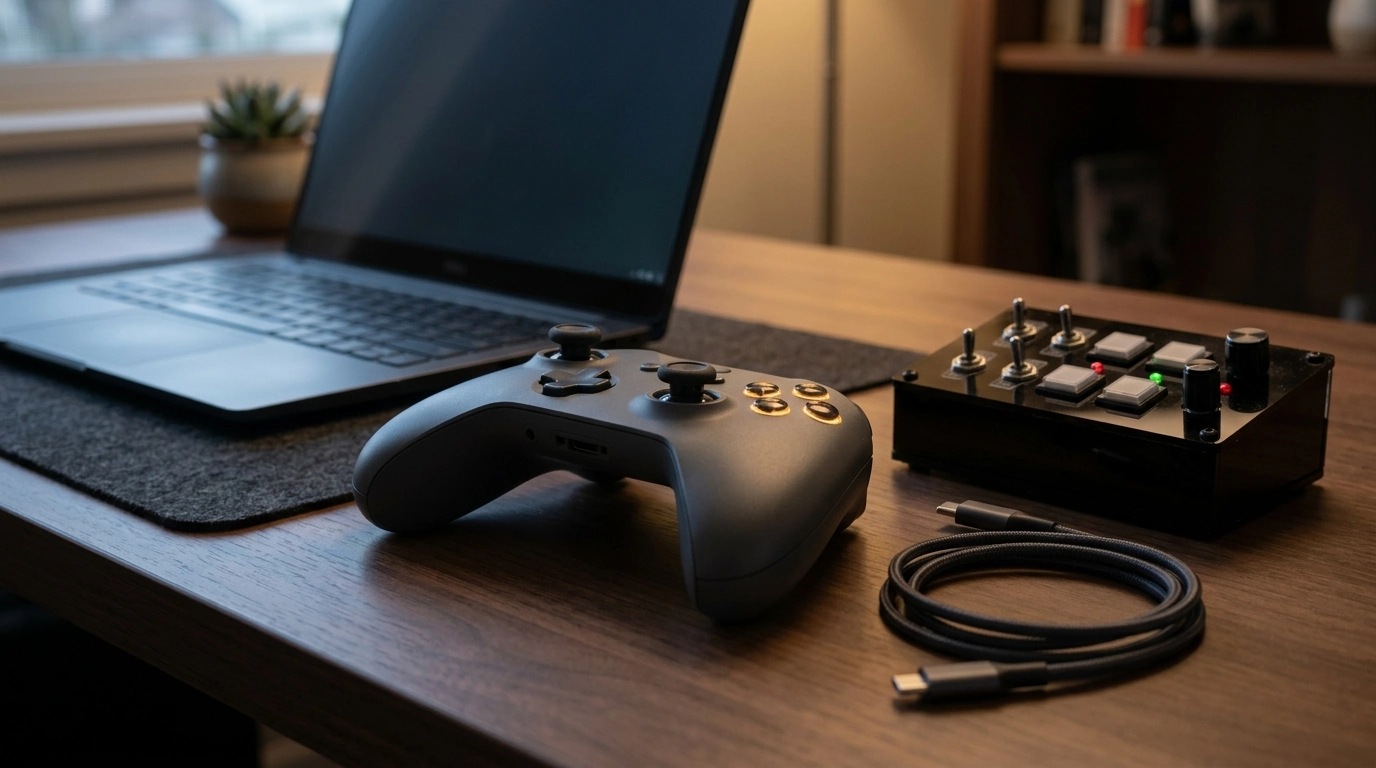
A wireless controller built around Hall effect switches delivers smooth, contactless inputs with added LED lighting and a rechargeable 1000mAh battery. That mix is designed for dependable daily use—whether you’re gaming, running a compact control setup, or building a DIY panel—while keeping cables off your desk or couch. Below is what those features translate to in real-world handling, plus practical setup and care tips to keep performance consistent over time.
Hall effect switching relies on magnetic field sensing rather than metal-to-metal electrical contact. That single design change affects feel, longevity, and consistency—especially when you’re pressing the same inputs hundreds (or thousands) of times per session.
If you want a deeper technical explanation of how Hall sensors work, this overview is a helpful reference: Hall effect sensor.
Wireless convenience is only “convenient” when pairing is painless and performance stays responsive. Most controllers follow a simple flow: power on, enter pairing mode, connect from the device, and you’re ready.
| Issue | Common cause | Fast fix |
|---|---|---|
| Won’t pair | Already paired to another device | Clear previous pairing / re-enter pairing mode |
| Random disconnects | Low battery or interference | Recharge fully; move receiver closer; avoid router proximity |
| Input delay | Crowded wireless channel | Change location; reduce nearby wireless devices; use direct USB port |
| LEDs not lighting | LED mode off or low battery | Toggle lighting mode; recharge |
Integrated LEDs aren’t just for looks. In the right environment, they can make a controller easier to use and easier to monitor at a glance.
A practical approach is to treat lighting like a “situational feature”: turn it up when it helps (dark room, quick status checks) and keep it low when you want maximum runtime.
A 1000mAh rechargeable battery supports untethered play and portable setups, but long-term performance depends on everyday charging habits. Lithium-based batteries generally prefer gentler cycles over frequent deep drains.
For practical battery longevity guidance, this resource is widely cited: Battery University — How to Prolong Lithium-based Batteries.
| Habit | Why it helps | Simple rule |
|---|---|---|
| Avoid frequent 0% drains | Reduces stress on the cell | Recharge before it gets critically low |
| Keep charging gear consistent | Prevents voltage/current instability | Use a reputable wall adapter |
| Adjust LED brightness | Extends time between charges | Use a dim/static mode when possible |
| Store with partial charge | Improves long-term capacity retention | Aim for a moderate level for long storage |
| Feature | What it does | Why it matters |
|---|---|---|
| Hall effect switch sensing | Detects input via magnetic field changes | Less wear and stable performance over time |
| Wireless operation | Connects without a cable | Cleaner setup and easier movement |
| LED lights | Adds illumination and/or status indication | Better visibility; customizable look |
| 1000mAh rechargeable battery | Powers the controller untethered | Portable sessions without constant charging |
They typically experience less wear related to electrical contact because the sensing is contactless and magnetic. Overall durability still depends on the controller’s build quality, including springs, housings, and how the button mechanism is engineered.
Lower brightness, choose static (non-animated) effects, or turn LEDs off when you don’t need them. Recharging before the battery gets extremely low also helps maintain more consistent long-term capacity.
Start by fully charging the controller and re-pairing it to clear any stale connections. Then reduce interference by moving closer to the receiver/device, avoiding noisy USB hubs, and keeping the receiver away from Wi‑Fi routers or metal obstructions.









Leave a comment